
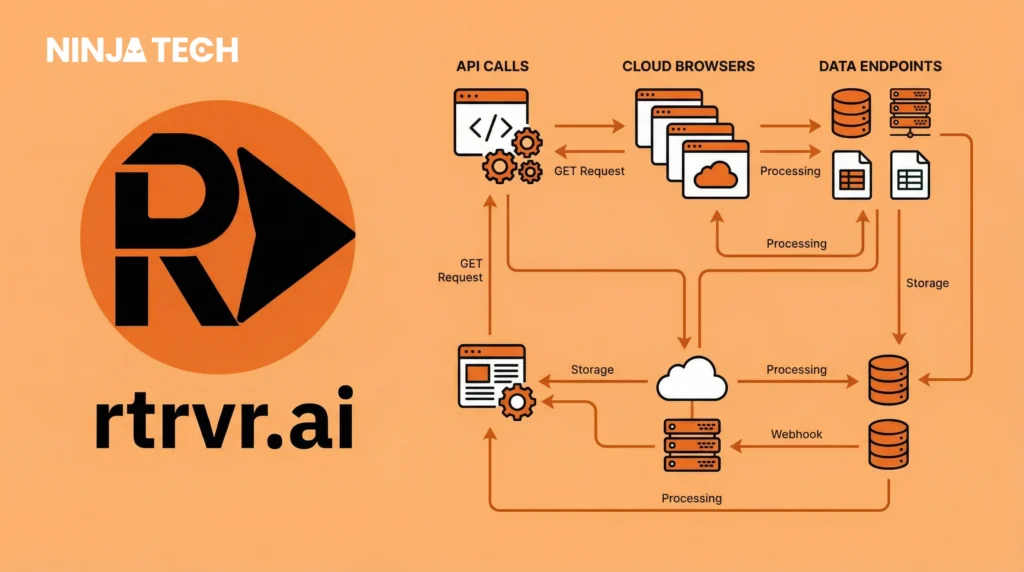
What if your browser could think? AI browser automation is transforming how we interact with websites – letting you scrape data from complex pages, fill out forms automatically, monitor sites 24/7, and even let other AI applications like Claude or ChatGPT control your browser remotely.
This is Rtrvr AI – a browser-based AI agent that makes traditional web scrapers look ancient. In this comprehensive guide, I’m going to show you exactly how AI browser automation works with three powerful workflows you can set up today.
By the end of this article, you’ll know how to:
– Set up Rtrvr AI completely free using Google’s Gemini API
– Scrape complex, multi-page websites with nested navigation
– Automate personalized social media engagement at scale
– Connect Claude AI or ChatGPT to control your browser remotely via MCP
– Schedule automations to run daily without manual intervention
What is Rtrvr AI? (And Why Traditional Scrapers Can’t Compete)
Rtrvr AI is a Chrome extension that transforms your browser into an intelligent, self-driving automation powerhouse. Unlike traditional web scrapers that rely on brittle CSS selectors and break whenever a website changes its layout, Rtrvr uses DOM-native intelligence instead. Essentially, it reads the actual HTML structure of web pages, the same way your browser does.
As a result of this technical approach, Rtrvr AI achieved an 81.39% success rate on the Halluminate Web Bench – the highest of any AI web agent tested. For comparison, OpenAI’s Operator scored 76.5%, while most vision-based agents struggled between 40-60%.
Rtrvr AI vs Traditional Scrapers: Key Differences
Feature | Traditional Scrapers | Rtrvr AI |
Navigation Depth | Single page only | Multi-step nested pages |
Input Method | CSS selectors, XPath | Natural language |
Layout Changes | Breaks completely | Adapts automatically |
Authentication | Complex setup | Uses your existing login |
Cost | $49-$500/month | Free with BYOK |
How to Set Up Rtrvr AI (Free in 60 Seconds)
Fortunately, getting started with Rtrvr AI is surprisingly simple. Here’s what you need to do:
Begin by installing the Rtrvr AI Chrome extension from the Chrome Web Store
After that, open the extension and type /add-gemini-key in the chat.
Then, follow the guided setup to get your free Google Gemini API key.
Once complete, you can start automating right away!
Pro Tip: The BYOK (Bring Your Own Key) feature means you can use Google’s Gemini Flash tier completely free. Most Rtrvr AI tasks cost under $0.12, and with your own API key, that drops to nearly zero.
AI Browser Automation #1: Complex Multi-Step Web Scraping
To begin, let’s explore something that traditional scrapers simply cannot do: nested page navigation with intelligent data extraction.
The Scenario
Imagine you’re researching gaming laptops on Amazon. You don’t just want the basic information visible on the search results page – you want Rtrvr AI to click INTO each product page and extract the top customer review from inside each listing.
In other words, this is multi-step navigation through nested pages. Traditional scrapers can only get what’s visible on the current page. Rtrvr AI actually navigates like a human would.
My Exact Prompt
“For the first 5 products in search results, click into each product page, extract the product name, current price, key specifications, and the top-rated customer review. Export everything to a new Google Sheet.”

What Happens
Watch as Rtrvr AI:
- First, it filters the search results
- Then, it opens each product in a new tab
- Next, Rtrvr navigates to the reviews section
- Extracts the specified data points
- Ultimately, it creates a Google Sheet and populates it with structured, organized data.
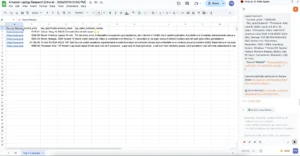
Time Savings: Manually = 2-3 hours. Rtrvr AI = 90 seconds.
Bonus: Scheduled Monitoring
Need this data every day? Rtrvr AI’s scheduled monitoring feature lets you set this automation to run every morning at 9 AM. It keeps adding new data to the same Google Sheet automatically.
As a result, you’re not just scraping data once – you’re building a historical database with zero ongoing effort. This is precisely why Rtrvr AI stands out among AI browser automation tools.
Rtrvr AI Automation #2: Personalized Social Media Engagement
So far, we’ve seen Rtrvr AI extract data effectively. However, can it also POST data? Absolutely.
The Setup i did as demo.
Create a Google Sheet with:
The first column (A) contains Instagram/LinkedIn/Twitter post URLs. Next, column B holds optional notes about each post. Finally, column C stores your personalized comments
The Exact Prompt
“For each URL in column A, open the Instagram post, leave the comment from column C, and create a new status column marked ‘Done’ when complete.”
How It Works
- First, it opens each social media URL
- Next, finds the comment input field
- Then, Rtrvr types your personalized message
- After that, clicks “Post”
- And finally, updates your spreadsheet with completion status
Critical Advantage: No API required. It’s YOUR browser, YOUR accounts, YOUR login. Therefore, Rtrvr AI operates as you, not as a third-party bot.
Rtrvr AI Automation #3: Remote Browser Control via MCP
This is where Rtrvr AI becomes genuinely mind-blowing.
What if OTHER applications could control your browser? Furthermore, what if Claude AI could actually write AND post content to LinkedIn?
What is MCP?
MCP (Model Context Protocol) allows AI applications to communicate with external tools. Rtrvr AI can act as a Remote MCP Server – meaning Claude, ChatGPT, or any MCP-compatible tool can remotely control your browser.
The Demo Prompt
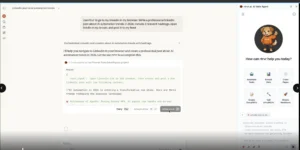
“Use the rtrvr act tool, open LinkedIn in my browser, write a professional LinkedIn post about AI automation trends in 2026, include 3 relevant hashtags, and post it to my feed.”
Result: Remarkably, Claude CONTROLLED my browser through Rtrvr AI – opened LinkedIn, generated content, added hashtags, and published the post.
What This Enables
- Trigger browser actions from Slack
- Build n8n or Zapier workflows that interact with websites
- Create AI assistants that research AND post findings
- Automate report generation with live data
- Let Claude fill out forms, book appointments, manage inbox
Your browser isn’t just automated – it’s an API endpoint your entire automation stack can control.
Rtrvr AI vs Other AI Web Agents: 2026 Comparison
Feature | Rtrvr AI | OpenAI Operator | Browse AI |
Benchmark | 81.39% (#1) | 76.5% | N/A |
Task Time | <1 minute | 6-20 min | 2-5 min |
Free Tier | Yes (BYOK) | No ($200/mo) | Limited |
MCP Support | Full Remote | None | None |
Speed | 7x faster | Baseline | 2x faster |
Who Should Use Rtrvr AI?
Marketers & Sales Teams: For instance, you can automate lead generation, competitor monitoring, social media engagement, and CRM data entry.
E-commerce Operators: Similarly, you can track competitor pricing, monitor stock availability, scrape reviews, and automate listings.
Researchers & Analysts: Additionally, you can extract data from any website, build research databases, and generate reports automatically.
Developers:Moreover, you can use the API for headless automation, integrate with n8n/Zapier, and leverage MCP for custom AI assistants.
Job Seekers: Upload your resume and let Rtrvr AI auto-apply to jobs automatically.
Bonus: Auto-Apply to Jobs with Rtrvr AI
- Upload your resume to the Rtrvr AI chat
- Navigate to your favorite job board (LinkedIn, Indeed)
- Prompt: “Search for [position] jobs and fill out applications using my resume”
- Watch Rtrvr AI navigate, fill forms, and submit applications
This saves job seekers 10+ hours per week.
Frequently Asked Questions
Is Rtrvr AI free to use?
Yes! Rtrvr AI offers a BYOK (Bring Your Own Key) model where you can use your free Google Gemini API key. This makes most tasks essentially free. Without BYOK, tasks cost approximately $0.12 each, which is still 25x cheaper than competitors like OpenAI Operator.
How is Rtrvr AI different from traditional web scrapers?
Traditional scrapers rely on CSS selectors and XPath that break when websites change. Rtrvr AI uses DOM-native intelligence and natural language commands – it understands web pages like a human does, adapting automatically to layout changes. It can also navigate multiple pages, click into nested content, and handle authentication using your existing browser login.
Will websites detect and block Rtrvr AI?
Rtrvr AI operates within YOUR browser using YOUR accounts and login sessions. It doesn’t use third-party APIs or external bots that platforms can easily detect. From the website’s perspective, it looks like normal human browsing activity.
What is MCP and why does it matter?
MCP (Model Context Protocol) is a standard that allows AI applications to control external tools. Rtrvr AI’s MCP support means Claude AI, ChatGPT, or any MCP-compatible tool can remotely control your browser. This enables powerful automations like having Claude write and post content directly to LinkedIn, or triggering browser actions from Slack.
How accurate is Rtrvr AI compared to other AI web agents?
Rtrvr AI achieved an 81.39% success rate on the Halluminate Web Bench – the highest score of any AI web agent tested. For comparison, OpenAI’s Operator scored 76.5%. This makes Rtrvr AI the most reliable option for browser automation in 2026.
Can I schedule automations to run automatically?
Yes! Rtrvr AI includes scheduled monitoring that lets you run any automation on a daily schedule. For example, you can set up competitor price monitoring to run every morning at 9 AM and automatically add data to your Google Sheet.
Is Rtrvr AI suitable for beginners?
Absolutely. Unlike traditional automation tools that require coding knowledge, Rtrvr AI uses natural language commands. You simply tell it what you want in plain English, and it figures out how to do it. No technical skills required.
Final Verdict: Is Rtrvr AI Worth It in 2026?
After testing dozens of AI web agents, Rtrvr AI stands out for three reasons:
1. It actually works. The 81.39% benchmark score isn’t marketing – it’s measurable performance.
2. It’s genuinely free. BYOK means unlimited tasks at near-zero cost. No $200/month subscription.
3. MCP integration is a paradigm shift. Control your browser from Claude, ChatGPT, or any automation tool.
If you spend more than an hour daily on repetitive browser tasks, Rtrvr AI isn’t just nice-to-have – it’s a multiplier for your productivity.
Get started free at rtrvr.ai and automate something today.
If you’d like to explore more content like this, visit our website.