
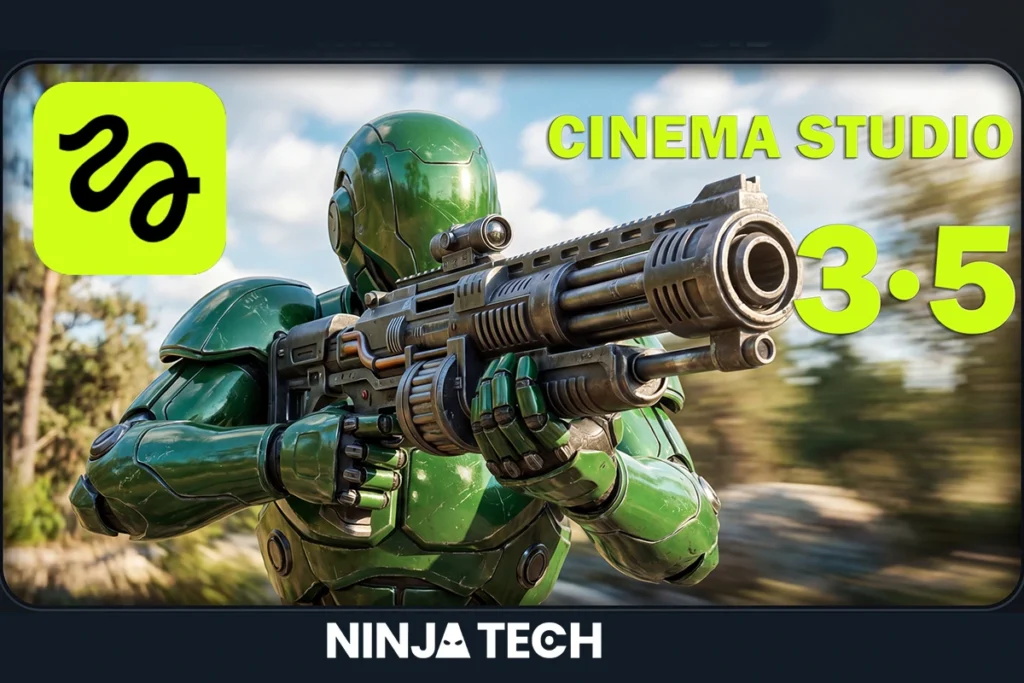
Creators who want to make AI videos look real keep running into the same three walls: characters that change faces between shots, physics that breaks immersion, and a workflow spread across half a dozen apps. Higgsfield Cinema Studio 3.5 is built to knock down all three — and after testing it hands-on, Higgsfield Cinema Studio 3.5 delivers on that promise inside a single platform that thinks before it generates.
In this guide, you will find everything about Higgsfield Cinema Studio 3.5 — how the Soul Cast character system works, what the built-in AI director Mr. Higgs actually does, the full pricing breakdown, and an honest look at what it still cannot do.
How Higgsfield Cinema Studio 3.5 Plans Before It Generates?
Most AI video tools start generating the moment you submit a prompt. Cinema Studio 3.5 plans first.
The platform reasons through your story, constructs a visual logic for the scene, and uses a locked foundation frame as the anchor for every shot that follows. That planning-first approach is what separates footage that holds together from footage that drifts — and it happens invisibly, before a single pixel of video is rendered.
The result is output that feels directed rather than generated. Placement, lighting, camera angle, shadow depth — all resolved by the model before animation begins.
The Character System That Finally Makes AI Videos Look Consistent
Inconsistent characters are the fastest way to make AI video look fake. Cinema Studio 3.5 solves this through Soul Cast, a character creation system built around multi-angle reference sheets rather than text descriptions.
Instead of typing a character prompt and hoping the model interprets it the same way twice, creators make real casting decisions upfront — genre, era, archetype, wardrobe. Soul Cast generates a complete reference package from those decisions: front, side, rear, and three-quarter profiles, all locked and consistent.
Once created, characters, locations, and props are saved and referenced across every scene using @tags. The model does not reinvent who they are with each new generation — it already knows. Built in minutes, consistent across an entire production.
Making AI Videos Look Real Means Getting Physics Right
Physics is where AI video most visibly fails. Water that moves on a loop. Fire that looks painted. Smoke expanding in perfect rings. These are not stylistic choices — they are physical modelling failures that audiences clock immediately, even without knowing why.
Cinema Studio 3.5 embeds physical reasoning into generation itself rather than applying it as an afterthought. Fire responds to wind. Water reacts to weight and displacement. Cloth drapes instead of floating. The difference shows up most clearly in the platform’s pure text-to-video method, where a single sentence — a burning cargo ship tilting into the ocean at dusk — produces footage where every physical element behaves correctly.
Run the same prompt through most competing models and the gap is immediate.
Meet Mr. Higgs — The AI Director Built Into Higgsfield Cinema Studio 3.5
Cinema Studio 3.5 introduces something no previous version had: a built-in AI co-director called Mr. Higgs, powered by Claude AI.
Mr. Higgs works alongside you throughout the entire production. Describe a scene in plain language and it breaks that description into a full shot list, manages your characters and locations, and adjusts camera settings, all in real time. It understands the full context of your project: who your characters are, what locations you’re working with, what visual style you’re building toward.
It remembers what worked in previous generations and refines what didn’t. The practical difference: instead of manually adjusting prompts between scenes and hoping the output improves, Mr. Higgs tracks your creative direction and gets sharper the more you use it.
This is not an autocomplete feature. It is the same prompting logic Higgsfield’s own creative teams use internally, now available to every user on the platform.
Advanced Camera Controls That Make Every Shot Look Intentional
Cinema Studio 3.5 treats scenes as dynamic, time-based events rather than single frames. WAN Camera Control gives creators precise command over camera movements, focus transitions, and lighting reactions — the kind of control that previously required a cinematographer.
On top of that, Virtual Lens Simulation lets you choose camera bodies, lens types, and aperture settings to manage depth of field and create footage that looks like it was shot on a real set. Over 20 dynamic camera movement presets are available — including FPV drone sweeps and dolly zooms — so you can set the right cinematic energy without heavy prompt engineering.
The Interactive Relight Tool adds another layer of control: adjust light position, colour, and intensity in real time, shifting the mood of a scene without regenerating from scratch.
7,000+ Style Presets — So You’re Never Starting From Zero
One of the most underrated features in Cinema Studio 3.5 is its library of over 7,000 cinematic style presets. Select a genre — Action, Noir, Documentary, Romance — and the platform automatically sets the pacing, lighting, and motion energy to match. No prompt engineering required.
For creators who know what they want visually but struggle to describe it in text, this feature alone cuts production time significantly.
Multi-Model Support — The Best Tool for Every Scene
Cinema Studio 3.5 is not locked to a single generation engine. Inside one platform, creators can access and switch between:
- Seedance 2.0 — speed and sharpness for high-volume output
- Kling 3.0 — strong character motion and realism
- Veo 3.1 — Google’s model for cinematic quality
- Wan 2.7 — versatile generation for varied content types
No switching apps. No exporting between platforms. The right model for each scene, all in one workspace.
Seedance 2.0 — Also Inside Higgsfield
Alongside Cinema Studio 3.5, Higgsfield also offers Seedance 2.0 as a standalone generation engine inside the same platform.
Where Cinema Studio 3.5 is built for narrative, character-consistent productions, Seedance 2.0 is optimised for speed and high-volume output — faster generation, crisper detail, better suited for content that does not require the full directorial workflow.
In practice, most creators use both. Cinema Studio 3.5 builds the scenes that carry the story. Seedance 2.0 handles everything around them — quick variations, supporting content, rapid iteration in early development. Both live inside the same Higgsfield account, so the workflow stays in one place.
Seedance 2.0 is currently available with promotional pricing of up to 70% off standard rates.
What It Costs to Make AI Videos Look Real with Higgsfield
Cinema Studio 3.5 runs on a credit-based system. Here is the current pricing structure:
- Starter Plan — $15/month: 200 credits (~20 basic videos or 3–5 premium generations)
- Plus Plan — $39/month: 1,000+ credits (best value for regular creators)
- Team/Business Plan: 3,000 credits/month for production teams
Credit costs by generation type:
- Basic video (720p, 5 seconds): ~10 credits
- Premium video (1080p+, advanced model): 40–70 credits
- Image generation: 0.25–5 credits
- 1080p/4K upscaling: adds 1.5x–3x to base cost
Compared to Runway, which charges more per output without the character consistency system, and Sora, which operates on a subscription model that makes direct comparison harder, Cinema Studio 3.5 offers more integrated capability per credit than any comparable platform.
What Higgsfield Cinema Studio 3.5 Still Cannot Do
Clips run up to ten seconds per generation, meaning longer content requires scene assembly rather than a single continuous output. Multi-character scenes — particularly those involving physical interaction between two people — can still be inconsistent and often need multiple passes to resolve.
These are the current edges of the platform, not dealbreakers. Knowing them upfront means productions can be planned around them.
Conclusion:
Higgsfield Cinema Studio 3.5 is the most complete AI video tool available right now — and if you’ve been looking for one platform that handles everything, Higgsfield Cinema Studio 3.5 is it.
Higgsfield Cinema Studio 3.5 is the most complete AI video tool available right now. Character consistency through Soul Cast, physics accuracy, a built-in AI co-director in Mr. Higgs, multi-model access, 7,000+ style presets, and professional camera controls — all inside one platform.
If you’re serious about AI video in 2026, this is where you start. Get started at Higgsfield AI and follow NinjaTech for more honest breakdowns of the AI video creation tools that are actually worth your time.
If you want to see Higgsfield in action, we have also uploaded a walkthrough on our YouTube channel — go check it out.
FAQs
What is Higgsfield Cinema Studio 3.5?
An AI film production platform that generates cinematic video with consistent characters, accurate physics, and professional camera controls. It includes four generation methods, the Soul Cast character system, a built-in AI co-director called Mr. Higgs powered by Claude AI, and access to multiple leading generation models including Seedance 2.0, Kling 3.0, and Veo 3.1.
What is Mr. Higgs?
Mr. Higgs is the built-in AI co-director inside Cinema Studio 3.5, powered by Claude AI. It breaks plain-language descriptions into shot lists, manages characters and locations, adjusts camera settings in real time, and learns from your project as it develops — getting better the more you use it.
How long are generated clips?
Up to ten seconds per generation. Longer productions are built by assembling scenes using Method 2, feeding each completed clip as context for the next.
What models are available inside Cinema Studio 3.5?
Seedance 2.0, Kling 3.0, Veo 3.1, and Wan 2.7 — all accessible from within one platform without switching apps.
Is Higgsfield Cinema Studio 3.5 available on mobile?
Cinema Studio 3.5 is currently focused on desktop. Check higgsfield.ai for the latest platform availability.