
If you’re juggling Midjourney for images, Runway for videos, and three other AI subscriptions—spending $100-150/month while managing five different platforms—this ImagineArt review might change everything.
Over the past few weeks, I’ve been testing ImagineArt, the all-in-one AI creative suite that claims to replace your entire AI toolkit for just $29/month. Honestly, sounds too good to be true? I thought so too. However, after generating hundreds of images and videos across 20+ AI models, I understand why 100,000+ creators have made the switch.
In this comprehensive ImagineArt review, I’ll show you exactly what ImagineArt does, how it stacks up against competitors, and whether it’s actually worth consolidating your AI tools into one subscription.
1. What is ImagineArt?
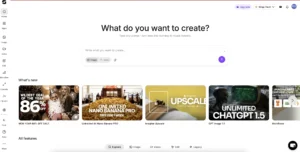
Essentially, ImagineArt is an all-in-one AI creative suite that consolidates image generation, video creation, editing, and collaboration into a single platform. Instead of paying for Midjourney, Runway, Leonardo, and other tools separately, you get access to over twenty leading AI models through one subscription.
2. The All-in-One Advantage: Why This Matters
The Problem ImagineArt Solves:
Most creators are currently paying for:
- Midjourney: $30/month for images
- Runway Gen-3: $35/month for video
- Leonardo AI: $24/month for additional models
- Editing software: $25/month
- Collaboration tools: $15/month
In total, that’s $129-150/month.
On top of that, there are hidden costs. First, time wasted switching between platforms. Second, file management across multiple tools. Third, learning curves for each interface. Finally, asset coordination headaches.
ImagineArt’s Solution:
Instead, everything is in one place for $22/month.
Specifically, you get access to image generation (10+ models), video generation (11+ models), a built-in editing suite, team collaboration tools, workflow automation, and hundreds of purpose-built creative tools.
As a result, the workflow transformation is real. Rather than generating in Midjourney, exporting to your computer, editing in Photoshop, uploading to Runway for video, exporting again, sharing via Dropbox, and getting feedback via Slack—you now generate, edit, animate, and deliver all in ImagineArt with team comments directly on assets. Done.
3. ImagineArt 1.5 Pro: The Flagship Model
Now, this is where ImagineArt truly differentiates itself. ImagineArt 1.5 Pro is their proprietary AI model, and it’s legitimately impressive.

Performance Claims (Verified)
It ranks among the top 3 AI models for ultra-realism and outperforms MidJourney in photorealistic rendering. Additionally, it uses 50% fewer credits than MidJourney/Nano Banana while delivering 30-40% faster generation times.
Where ImagineArt 1.5 Pro Excels
1. Photorealism
For instance, it delivers studio-quality product photography, realistic human portraits, lifelike textures and materials, and accurate lighting and shadows.
2. Commercial Work
Moreover, it handles e-commerce product shots, professional headshots, marketing campaign visuals, and brand photography with ease.
3. Detail Retention
Furthermore, it handles complex compositions, maintains detail in upscaling, produces accurate anatomy and proportions, and renders realistic facial features.
Credit Efficiency
Here’s the real advantage—you get twice the output for your money:
MidJourney/Nano Banana: 100 credits = 1 high-quality image
ImagineArt 1.5 Pro: 50 credits = 1 high-quality image (same or better quality)
Over time, this compounds dramatically. For example, if you’re generating 200 images:
- Other platforms: 20,000 credits
- ImagineArt 1.5: 10,000 credits
Ultimately, that’s like getting a 50% discount on every generation.
4. 20+ AI Models in One Platform
Without a doubt, this is ImagineArt’s killer feature. Here, you get access to every major AI model without juggling multiple payments.
Image Generation Models (10+)
Photorealistic: ImagineArt 1.5 Pro ⭐ (Flagship), Flux.2, and Imagen-4 (Google)
Artistic & Creative: Ideogram v3, Seedream v4, Dreamina 3.1, and Minimax Image
Specialized: Nano Banana, Qwen Image, and ChatGPT Image Generation
Video Generation Models (11+)
Premium Cinematic: SORA 2 Pro (OpenAI), Google Veo 3.1 ⭐, Runway Gen 4 Turbo, and Kling 2.5 Pro
Fast & Efficient: Hailuo 2.3 PRO, Hailuo 02 PRO, PixVerse v5, Seedance Pro, Wan 2.5, Kling 2.1 Pro, and Imagine V3
Why This Matters
Importantly, each model has strengths. Instead of being locked into one, you have options. For cinematic quality, use Veo 3.1. When speed matters, switch to Kling 2.5. Additionally, you can try SORA for experimental projects and compare models side-by-side in ImagineFlow.
5. ImagineFlow: Workflow Automation Game-Changer
Additionally, ImagineFlow is ImagineArt’s node-based visual workflow builder—and it’s revolutionary.
How It Works
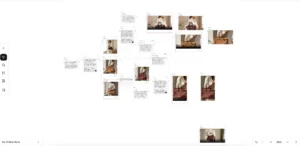
Rather than repeating those tedious manual steps mentioned earlier, ImagineFlow lets you build the pipeline once using drag-and-drop nodes. After that, simply drop in your input and everything happens automatically.
Key Benefits
1. Reusable Templates
First, build once and use forever. Then, create “recipes” for different content types. Finally, share workflows with your team.
2. Batch Processing
Next, process 100+ images through the same pipeline. As a result, you get consistent results across all outputs and can scale without additional manual work.
3. Model Comparison
Also, run the same prompt through 5 different models. Then, compare results side-by-side and choose the best performer.
4. No Code Required
Best of all, it’s a visual, drag-and-drop interface. Moreover, pre-built templates are available and easy to modify and customize.
Industries Using ImagineFlow
E-commerce brands use it for automated product photo processing, while marketing agencies leverage it for ad creative variations. Similarly, real estate firms build virtual staging pipelines, fashion brands automate lookbooks, and content creators batch social media content efficiently.
Real-World Example: Product Photography Pipeline
6. Key Features Breakdown
Text-to-Image Generation
With this feature, generate stunning images from text descriptions across 10+ AI models.
Capabilities: Natural language prompts, 20+ artistic styles, multiple aspect ratios (1:1, 16:9, 9:16, custom), 1-4 variations simultaneously, and HD/Ultra-HD resolution options.
Text-to-Video Generation
Similarly, create animated videos from text prompts using 11+ video models.
Capabilities: Cinematic camera movements, smooth motion and transitions, 5-30 second clips, up to 1440p resolution, and multiple model options for different styles.
Image-to-Video Transformation
Furthermore, bring static images to life with realistic motion and animation.
Use Cases: Animate product photos, create video from concept art, add motion to illustrations, and transform photos into video ads.
Video-to-Video Transformation
In addition, remix and transform existing videos with new styles and effects.
Applications: Style transfer, effect application, scene transformation, and video enhancement.
UGC Avatars (Unique Feature)
Notably, create realistic talking avatars that speak your script.
Capabilities: Multilingual voice support, accurate lip-sync, custom scripts, and professional presenter quality.
Perfect for: Product reviews, explainer videos, social media content, and educational videos.
Motion Transfer
Likewise, copy motion patterns from one video and apply to different footage.
Example: Record a dance movement, apply it to an AI-generated character, and get professional animation without keyframing.
Preview Mode (Cost Saver)
Test generations at 10% credit cost before committing to final render.
Why This Matters:
- Traditional tools: 100 credits per attempt × 10 tests = 1,000 credits wasted
- With Preview Mode: 10 credits per test × 10 tests = 100 credits + 100 final = 200 total
Consequently, you save 80% on experimentation costs.
Prompt Enhancer (AI Assistant)
Perhaps you’re bad at writing prompts? Fortunately, the AI translates your rough ideas into optimized technical parameters.
Real-Time Editing Suite
Edit directly in the platform—no Photoshop exports needed.
Editing Tools:
- Background removal
- Upscaling (up to 8K)
- Inpainting (edit specific areas)
- Outpainting (extend canvas)
- Face enhancement
- Color correction
- Style transfer
Character Consistency Engine
Lock faces, outfits, and proportions for consistent characters across multiple generations.
Use Cases:
- Comic book series
- Brand mascots
- Video episodes
- Marketing campaigns
7. ImagineArt Teams: Built for Collaboration
Fortunately, ImagineArt Teams solves the biggest pain point in creative collaboration.
Team Features
Up to 40 Members, One Subscription
Typically, traditional setup costs 5 team members × $30/month each = $150/month.
However, ImagineArt Teams costs 40 team members × $22/month total = $22/month.
That means 90% reduction in per-user costs.
Collaboration Capabilities
Real-Time Multi-User Editing:
For example, simultaneous work on same project, live cursor tracking, and instant sync across devices.
In-Context Commenting:
Additionally, direct feedback on assets, thread-based discussions, @mention notifications, and approval workflows.
Credit Management:
Furthermore, allocate credits per user, track usage by team member, monitor budgets, and view performance analytics.
Organized Workspace:
Finally, public and private folders, shared asset libraries, version history, and centralized project management.
As a result, time saved: 70% reduction in coordination overhead.
8. ImagineArt Review: How It Compares to Competitors
ImagineArt vs MidJourney
| Feature | ImagineArt | MidJourney |
|---|---|---|
| Image Quality | Excellent (1.5 Pro) | Excellent |
| Video Generation | ✅ Yes (11 models) | ❌ No |
| Interface | Web, mobile | Discord only |
| Price | $22/month | $30/month |
| Credit Efficiency | 2x more efficient | Standard |
| Editing Tools | Built-in suite | None |
| Team Features | Full collaboration | Limited |
| Learning Curve | Easy | Moderate |
Winner: Therefore, ImagineArt wins for most users (unless you only need premium artistic style and don’t care about video/editing)
ImagineArt vs Runway
| Feature | ImagineArt | Runway Gen-3 |
|---|---|---|
| Video Models | 11+ models | 1 model |
| Image Generation | ✅ 10+ models | Limited |
| Price | $22/month | $35/month |
| Workflow Automation | ImagineFlow | No |
| Editing Suite | Complete | Basic |
| Team Collaboration | Up to 40 members | Limited |
Winner: ImagineArt for all-in-one needs
ImagineArt vs Leonardo AI
| Feature | ImagineArt | Leonardo |
|---|---|---|
| AI Models | 20+ total | 8+ models |
| Video Generation | ✅ Advanced | ❌ No |
| Price | $15/month | $24/month |
| Flagship Model | 1.5 Pro (top 3) | Good quality |
| Workflow Automation | ImagineFlow | Limited |
| Apps | 100+ | ~20 |
Winner: ImagineArt for versatility and value
10. FAQs
Q: Is $22/month really the full price?
A: Yes. in fact, there are no hidden fees. You get access to all 20+ AI models, ImagineFlow, team features, and 100+ apps for $15/month starting price. Commercial license included.
Q: How does ImagineArt 1.5 Pro compare to MidJourney?
A: Based on testing, ImagineArt 1.5 Pro ranks in the top 3 for ultra-realism and demonstrably matches or exceeds MidJourney in photorealistic rendering while using 50% fewer credits. For artistic/stylized work, MidJourney may still have a slight edge.
Q: Can I really add 40 team members?
A: Yes, on ImagineArt Teams you can add up to 40 members under a single subscription with credit allocation, permissions, and collaboration features included.
Q: What’s the catch with Preview Mode?
A: Surprisingly, no catch. It costs 10% of normal credits to generate a preview. If you like it, commit full credits for final render. If not, you only spent 10% testing.
Q: Do I need coding skills for ImagineFlow?
A: No. ImagineFlow is visual and drag-and-drop. Pre-built templates are available, or you can build custom workflows without code.
Q: Is there a free trial?
A: Check ImagineArt’s official website for current trial offers and starting credits.
14. Final Verdict: ImagineArt Summary
Absolutely, yes, for 90% of creators and teams.
My Recommendation:
First, start with ImagineArt and add specialists tools only if you find specific gaps. For most use cases, you won’t need anything else.
Trial Strategy:
- Sign up for ImagineArt here.
- Test ImagineArt 1.5 Pro against your current tool
- Build one workflow in ImagineFlow
- Try team collaboration if applicable
- Compare monthly costs
If you’d like to see a demo in action, check out our YouTube video. To explore more AI-related content, visit our website.
💡 Pro Tip: Start with ImagineFlow templates before building custom workflows. You’ll learn the system faster and get results immediately.
What’s your biggest content creation bottleneck? Drop a comment and I’ll show you which ImagineArt feature solves it!
Disclosure: This review is based on hands-on testing of ImagineArt in January 2026. Features and pricing are subject to change. Always verify current offerings on the official website.