
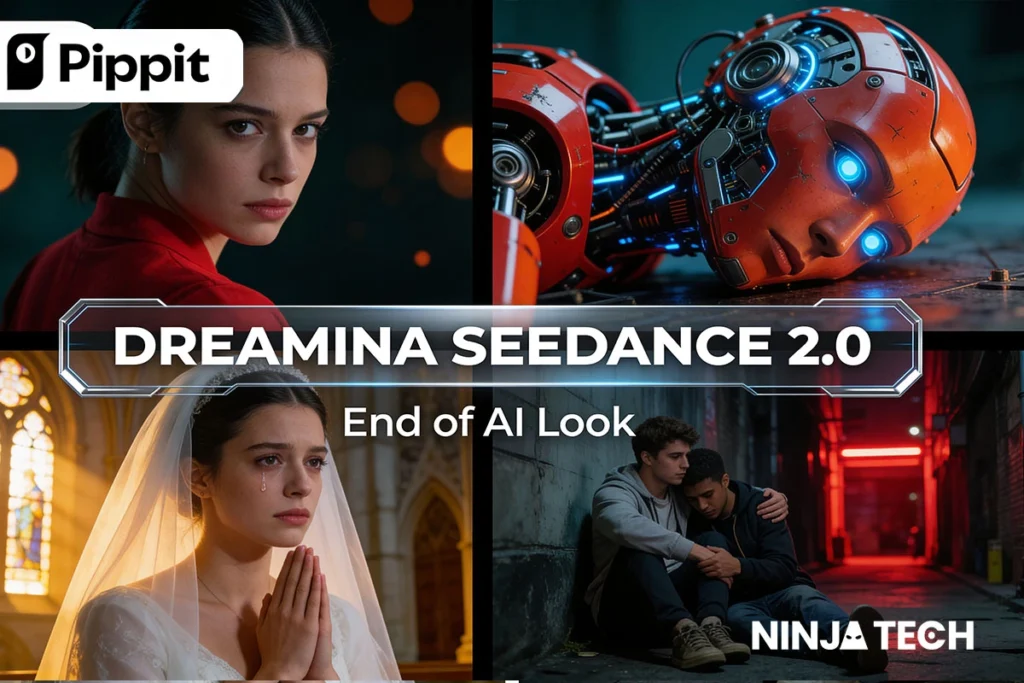
AI video generation has had a credibility problem. Until recently, almost every tool on the market produced output with the same set of tells — warped hands, rubbery facial movement, fabric with no weight, and audio that had to be added in post. Creators could make impressive tech demos, but rarely anything they could publish without explanation.
Dreamina Seedance 2.0, ByteDance’s newest video and audio model, is the first release that meaningfully changes that. It generates high-quality video and native audio from a single prompt, launched in March 2026, and is now available globally on Pippit.
This guide breaks down the 7 features that make Dreamina Seedance 2.0 a significant step forward, how it compares to Seedance 1.5 and rival platforms, a step-by-step workflow for using it inside Pippit, the use cases where it performs best, honest limitations, and answers to the most common questions creators are asking.
Why This Launch Matters for Creators?
Most AI video releases are incremental improvements on existing capabilities. Dreamina Seedance 2.0 represents a larger shift, and four upgrades in particular explain why creators and industry analysts are paying close attention:
- The generation is up to 10× faster than Seedance 1.5 with no quality loss, according to ByteDance’s internal benchmarks — which changes the economics of iteration.
- Native audio-video sync means no more post-production patchwork. Dialogue matches lip movements. Footsteps match the surface underfoot. That’s a massive time-saver.
- Multi-shot storytelling from one prompt. You can describe a 3-scene sequence in a single paragraph and the model keeps character, lighting, and style consistent across all of them.
- It’s priced for creators, not studios. While Sora 2 subscriptions start around $200/month and Veo 3.1 around $250, Pippit gives you free daily credits to test Seedance 2.0 before you pay anything.
Taken together, these changes consolidate a workflow that previously required a separate video generator, audio tool, lip-sync application, and video editor into a single platform.
7 Key Features of Dreamina Seedance 2.0 on Pippit
1. High-Quality Output
Dreamina Seedance 2.0 exports up to 1080p resolution, capturing fine details, textures, and subtle movements in every frame. You can drop to 720p or 480p when you need faster generation or smaller files.
2. Multi-Shot Storytelling
The model turns a single idea into multiple shots that flow together naturally. Characters, lighting, and style stay consistent across the full sequence, so a protagonist in shot one still looks like the same person in shot five. This handles trailers, explainer videos, short dramas, and episodic reels without days of planning or filming.
3. Natural Motion & Scene Flow
Seedance 2.0 predicts movement between frames using motion tracking, so transitions stay clean and the video flows naturally. When someone walks across the screen, it actually reads as walking — not the slideshow effect common in earlier models. Backgrounds hold stable, proportions stay correct through rotation, and even dance routines and action scenes keep their shape.
4. Complex Prompt Understanding
Semantic understanding lets the model follow detailed instructions even when several things happen at once. Prompt for multiple characters doing different things, specific camera moves (push, pull, pan, tilt, orbit, tracking), particular lighting moods, and compositional details — it delivers. Prompts behave more like director’s notes than search queries, which is a clear step up from Seedance 1.5.
5. Format Controls
Choose from six aspect ratios — 16:9, 9:16, 4:3, 3:4, 21:9, and 1:1 — so your content fits YouTube, Reels, TikTok, Facebook, and LinkedIn without cropping later. Clips run 5 to 12 seconds per shot (longer via multi-shot sequences), with 480p, 720p, or 1080p output. One idea can ship to multiple platforms without regenerating from scratch.
6. Creative & Style Controls
You can pick from styles like cyberpunk, photorealism, cinematic, watercolor, and anime — the AI applies your choice consistently across the full video instead of mixing aesthetics mid-sequence. Upload reference images or clips as style anchors, and the model carries that tone, composition, and visual language into new generations.
7. Native Audio-Video Sync
The biggest technical leap — and ByteDance’s headline upgrade — is native audio generation alongside video, from a single prompt. Dialogue matches lip movements. Ambient sound matches the scene. Sound effects land on the right frame. This works for single-character dialogue and multi-person scenes, cutting out the separate voice generator, sound library, and lip-sync tool most creators used to juggle.
Dreamina Seedance 2.0 vs Seedance 1.5: What Actually Changed?
If you’ve used Seedance 1.5, the jump to 2.0 is hard to miss. Resolution climbs from 1080p to 2K, generation runs over 10× faster, and the model now handles audio on its own — dialogue, ambient sound, and effects baked right into the video. Motion feels smoother, prompts translate more accurately, and you can dial in clips between 5 and 12 seconds at 480p, 720p, or 1080p.
Of course, generating great footage is only part of the story. You still need somewhere to shape it into content people actually watch — which is where Pippit fits in.
Here’s a clean side-by-side of the upgrades most likely to affect your workflow:

How to Use Dreamina Seedance 2.0 on Pippit (Step-by-Step)
Pippit’s interface is deliberately designed so you never have to touch a timeline unless you want to. Here’s the full workflow:
- Sign in at pippit.ai. Free accounts get daily credits — enough to test-drive Seedance 2.0 on a few short generations before committing to a plan. You can sign up in seconds using a Google, TikTok, or Facebook account.

- Open the Video Generator. From the left panel, select “Video generator” under the Creation section. You’ll land on the “Turn anything into video” page.
- Select “Dreamina Seedance 2.0” as your model. Pippit also offers Sora 2, Veo 3.1, Lite mode (for faster/cheaper generation), and Agent mode (which plans and generates content autonomously from any input) — but for this guide, choose Dreamina Seedance 2.0.

- Write your prompt. Be specific. Instead of “a cat running,” try: “A ginger tabby cat sprinting through a sun-drenched wheat field at golden hour, low-angle tracking shot, shallow depth of field, cinematic grade.” Seedance 2.0 rewards detail.
- (Optional) Upload references. Click the “+” to add up to 9 images, a reference video, or an audio clip. The model will pick up style, tone, and character features.
- Choose aspect ratio and length. 16:9 for YouTube, 9:16 for Shorts/Reels/TikTok, 1:1 for Instagram grid. Length supports short clips up to longer multi-shot sequences.
- Click Generate. Preview appears in seconds to a couple of minutes depending on resolution.
- Refine through conversation. Don’t love the result? Type what you want changed — “make the lighting warmer,” “add a slow push-in at the end” — and regenerate.
- Edit, download, or publish directly. Use Pippit’s built-in editor for captions, AI avatars, AI Talking Photo, background removal, color correction, and voice changing. When you’re happy with the video, click Download to save locally, or Publish to schedule it directly to TikTok, Instagram, or Facebook via Pippit’s social media calendar.
Pippit (Seedance 2.0) vs Other AI Video Platforms
Three platforms now offer mainstream access to Seedance-class AI video: Pippit, Dreamina, and Runway (which licenses Seedance 2.0 as a third-party model). Here’s where they differ for most creators:

For creators whose priority is a single platform that handles generation, editing, captioning, and publishing without switching tools, Pippit currently offers the most complete Seedance 2.0 experience on the market.
Pricing & Availability
Pippit offers a free tier that includes daily credits for testing Dreamina Seedance 2.0, plus paid plans that scale with usage. Compared to Sora 2 (entry pricing around $200) and Veo 3.1 (around $250), Seedance 2.0 access through Pippit remains the most accessible option for individual creators and small teams. Availability has rolled out globally throughout 2026, now including the US, UK, EU, Japan, Australia, and most of Asia, Africa, and the Americas.
Content restrictions to know about:
Like all major AI-video platforms in 2026, Pippit and Seedance 2.0 block generations involving real identifiable people’s faces without authorization, copyrighted characters, and unauthorized IP. These are platform-wide ByteDance policies put in place during rollout.
Current Limitations
No AI video model is without constraints. A few limitations of Dreamina Seedance 2.0 are worth noting before committing it to a production workflow:
- Real faces are restricted. You can’t generate videos from images containing real, identifiable people. That’s a safety feature, but it does limit certain creator-economy use cases.
- Extremely long-form (5+ minutes) is not the sweet spot. The model is best at short to medium clips and multi-shot sequences up to a couple of minutes.
- Complex hand-object interactions can still glitch. Much improved over 1.5 but not perfect — stress-test any hero shot involving hands holding small objects.
- Text-in-video is inconsistent. If you need on-screen text (signage, UI elements) to be readable, add it in Pippit’s editor afterwards rather than relying on the generation.
FAQs:
Is Dreamina Seedance 2.0 free on Pippit?
Yes — Pippit offers a free tier with daily credits that let you generate videos using Dreamina Seedance 2.0 without paying upfront. Heavier usage requires one of Pippit’s paid plans, but every new user gets free credits to test the model first.
What’s the difference between Pippit and Dreamina?
Dreamina is ByteDance’s consumer creative platform and the direct home of the Seedance model. Pippit is ByteDance’s creator and marketing platform that integrates Seedance 2.0 alongside editing, AI avatars, voiceover, analytics, and social scheduling. Use Dreamina for pure generation; use Pippit when you want a full content-creation workflow in one place.
Can Dreamina Seedance 2.0 create videos with sound?
Yes. Native audio generation is one of the biggest upgrades in Seedance 2.0. The model produces dialogue, ambient sound, and effects synced to the video in a single step, so lip movements match speech and environmental audio matches the scene.
Is Dreamina Seedance 2.0 better than Sora 2 or Veo 3.1?
For most individual creators and small teams, yes — primarily on price and workflow. Sora 2 and Veo 3.1 are both powerful, but start at $200–$250/month. Dreamina Seedance 2.0 on Pippit offers comparable quality, native audio, and multi-shot consistency at free-to-low-cost pricing. For studio-scale professional production, Runway’s Seedance 2.0 integration with unlimited generations may still win.
Do I need editing skills to use Pippit?
No. Pippit is designed so creators with zero editing experience can go from prompt to published video. If you can describe what you want in a sentence, you can use it. More advanced users still get full manual controls inside the built-in editor.
Final Thoughts
Dreamina Seedance 2.0 represents more than an incremental improvement over earlier AI video models. For independent creators, marketing teams, and small studios, this is the first time a single platform offers cinematic-quality output at pricing accessible to individual users, without the need to combine a video generator, a stock audio library, a lip-sync tool, and a traditional video editor.
To try Dreamina Seedance 2.0 directly, sign up at pippit.ai. New users receive daily free credits to test the model on their own prompts before choosing a paid plan.
Want to go deeper? Check out our related website for more on AI video creation, and watch the full walkthrough on our YouTube channel to see Dreamina Seedance 2.0 in action.